Backlink checker for understanding a domain's link profile
Analyze backlinks, referring domains, and linked pages without separating link research from the rest of your SEO workspace.
Workflow
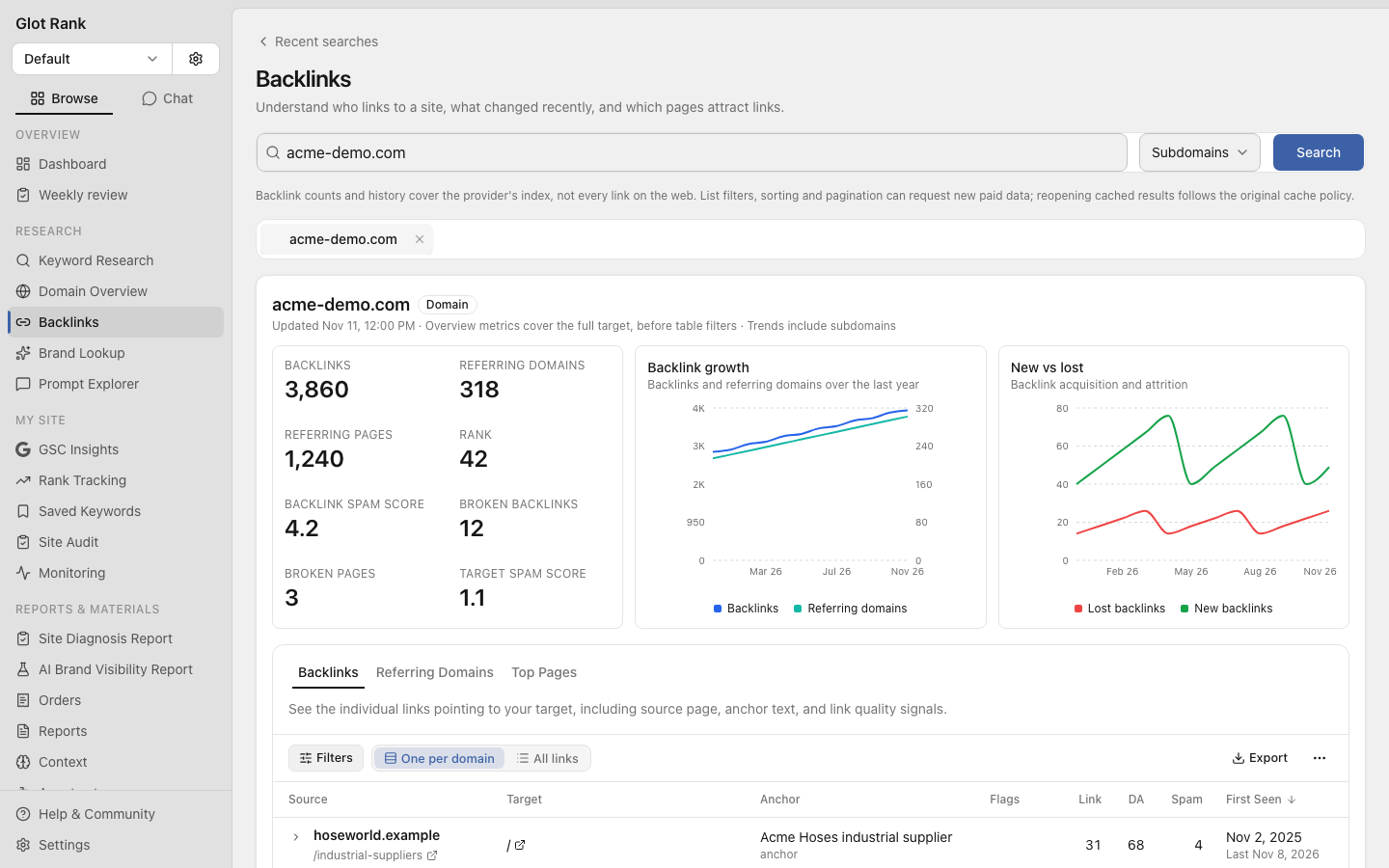
Check a domain's backlinks
Look up backlinks and referring-domain signals for your site, competitors, or pages you are evaluating.
Compare link quality
Use backlink rows, referring-domain rows, rank, spam, broken, lost, and nofollow signals to inspect link quality.
Filter and export link data
Export and filter backlink, referring-domain, and top-page data for your own outreach, competitor research, or cleanup review.
Data dimensions
- Backlinks
- Links
- Referring domains
- Sources
- Target URLs
- Distribution
- Rank and spam signals
- Quality context
Take the next step.
Free backlink checker
Check any domain's backlink summary and top 15 backlinks. No signup required.
The Link Building Strategy Library
Practitioner strategies for reading a backlink profile and earning links that count. These guides are in Chinese and cover evidence, decisions and verification.
- Prepare backlink data and compare snapshots
Preserve raw URLs, scope and duplicate positions before interpreting missing rows.
- Referring domains and link quality
Distinguish link counts, independent sources and related sites before judging quality.
- How to get backlinks
Evaluate useful resources, relevant sites and verifiable contact paths.
FAQ
What is backlink analysis used for?
Can I check competitor backlinks in Glot Rank?
How does backlink research connect to SEO planning?
Use cases and workflow details
Use cases
- See who links to a competitor.
- Inspect link opportunities for important pages.
- Understand whether a domain has real authority before investing in content.
How the work connects
- Backlink analysis sits beside keyword research, domain overview, and audit data.
- Save backlink research in your project for review and follow-up.
- MCP support lets an AI agent pull backlink context during SEO research.